Schema Markup Benefits For Shopify SEO And Structured Data
When you search for a product on Google, some store links immediately catch your eye on the page. They show the exact price, an in-stock badge, and bright yellow customer rating stars right below the title. Meanwhile, competing stores right underneath look like plain, boring text links that shoppers scroll past without clicking once. That…
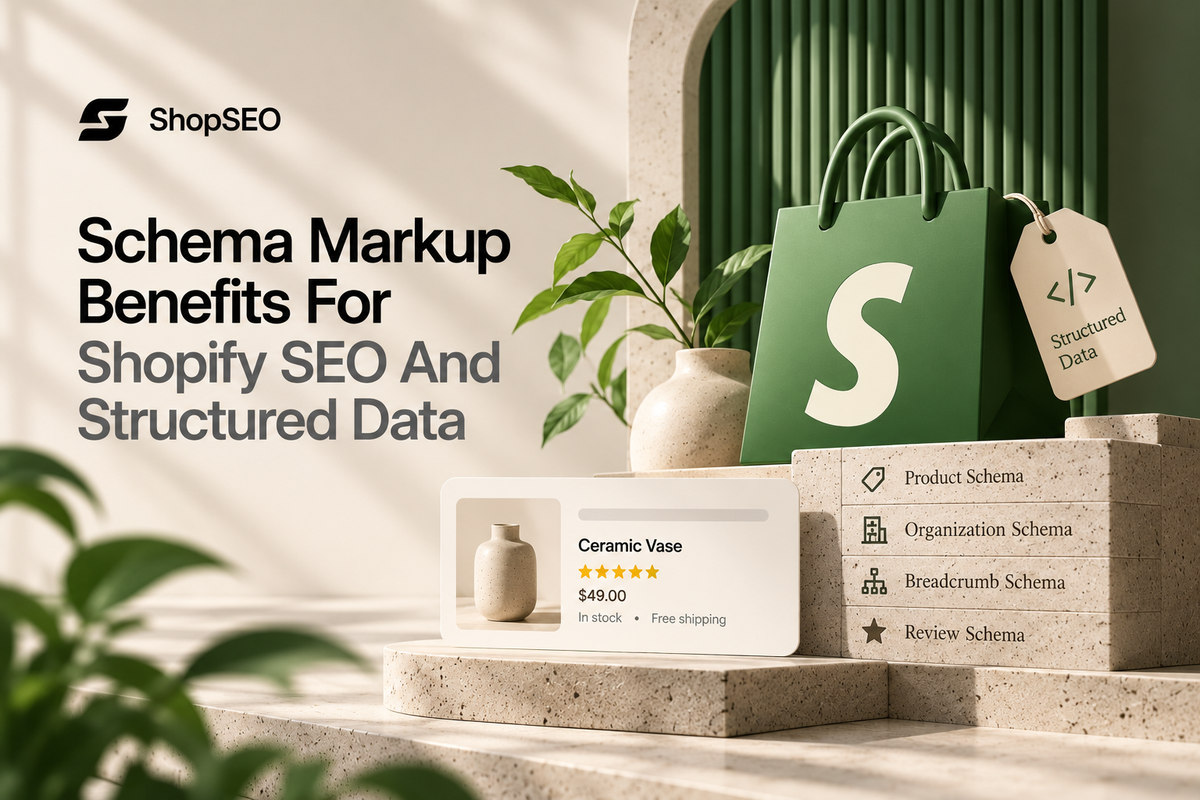
Table of contents
- Core Schema Markup Benefits For Shopify SEO Growth
- How Structured Data Helps Search Engines Read Your Catalog?
- Three Essential Schema Types Every Shopify Store Needs Now
- Why Shopify Structured Data Breaks Silently Across Stores?
- How to Audit and Fix Your Store Schema?
- How Clean Structured Data Wins In AI Shopping Search Modes?
- Validate Shopify Structured Data With The ShopSEO Platform
- Turn Your Store Listings Into High-Clicking Rich Snippets
When you search for a product on Google, some store links immediately catch your eye on the page. They show the exact price, an in-stock badge, and bright yellow customer rating stars right below the title. Meanwhile, competing stores right underneath look like plain, boring text links that shoppers scroll past without clicking once. That visual advantage comes from understanding the schema markup benefits for Shopify SEO and structured data across your catalog. You do not need to be a coder to understand why those extra details bring in more sales.
Search engines cannot always guess whether a number on your page is a shirt price or a size. Structured data acts like a clean nutrition label that hands your exact price, stock, and ratings to Google. However, most store owners have no idea that their theme and apps are quietly fighting behind the scenes.
When two parts of your store send different product facts, search engines simply hide your extra details completely. Let us break down how structured data works in plain English and how to make yours shine today.
Core Schema Markup Benefits For Shopify SEO Growth
Understanding the core schema markup benefits for Shopify SEO helps you turn plain search links into visual magnets. Adding clean Shopify SEO structured data gives shoppers the exact buying facts they want before they even click. Compare how a plain store link performs against a rich result powered by valid structured data right below.
| Search Listing Feature | Standard Store Link (No Valid Schema) | Rich Result Link (Valid Structured Data) |
| Visual Appearance In Search | Shows only a blue title link, a plain web address, and two lines of basic description text. | Displays live product pricing, green in-stock status, review star counts, and a clean category breadcrumb path above. |
| Shopper Click Behavior | Busy buyers often skip plain text listings because they cannot tell if the item fits their budget. | Shoppers click far more often because they can see the price and positive ratings right away. |
| Traffic Quality And Intent | Visitors click blindly and bounce right back to Google if your product costs more than they expected. | Buyers already know your exact price and stock status before clicking, so they arrive ready to purchase. |
| AI Shopping Assistant Trust | Answer engines must guess your product details by scraping messy paragraphs and layout code on your page. | Conversational AI tools read verified facts directly from your structured data and recommend your product with confidence. |
- Stand Out Visually With Price And Stock Badges
Product listings can show shoppers important details like price, availability, and customer reviews directly in Google Search. According to Google’s 2026 National Retail Federation remarks, its Shopping Graph contains more than 50 billion product listings, with over 2 billion refreshed every hour. These listings include product prices, inventory, and reviews. Keeping your Product schema accurate helps Google understand these details and makes eligible product pages suitable for enhanced search listings.
- Attract Ready Buyers Who Already Know Your Price
Nothing wastes your store bandwidth faster than curious visitors who click your link and leave because of price. When your search snippet shows that a jacket costs eighty dollars, bargain hunters looking for ten-dollar items skip it. Every shopper who clicks through already accepts your price point, which naturally boosts your store conversion rate daily.
- Build Instant Store Credibility Before The First Click
First-time shoppers are naturally cautious when clicking on an independent online store they have never heard of before. Seeing a clean category breadcrumb path, your official brand logo, and verified customer ratings builds trust in seconds. Your small boutique immediately looks just as reliable and established as a massive national department store in search.
How Structured Data Helps Search Engines Read Your Catalog?
Humans can look at a product page and immediately tell the price apart from the shipping weight number. Search engine bots only see thousands of lines of design code unless Shopify SEO structured data guides them. Here is how structured data translates your store pages into clear facts without changing how your website looks.
- Think of structured data as a clean digital packing slip attached privately to the back of your page:
- Your human visitors never see this background label when they browse your photos or read your product story.
- When a search crawler visits your URL, it reads that packing slip first instead of guessing from paragraphs.
- That slip clearly states the item name, exact currency, current price, stock availability, and brand name without confusion.
- Learn why Google prefers a clean format called JSON-LD over older ways of tagging your store pages:
- Older themes mixed small code tags directly inside your visual product titles and paragraphs across the page template.
- Every time you changed a font style or moved a button, those old tags broke and stopped working.
- Modern JSON-LD sits in one neat, separate block so your visual storefront design stays clean and untouched.
- Understand the big difference between general dictionary rules and what Google actually asks for on your store:
- Many generic tools check your store against thousands of theoretical textbook labels that never show up in search.
- What actually matters for your business is meeting the exact required fields that unlock Google rich result badges.
- If a required field like price or availability is missing, search engines simply withhold the rich snippet completely.
Three Essential Schema Types Every Shopify Store Needs Now
There are hundreds of structured data labels online, but store owners only need to care about three core types. Focusing on these three specific blocks unlocks every visual upgrade that drives real clicks and sales for ecommerce. Let us look at the exact three schema types that matter most for your online store right now.
- Product Schema For Price Stock And Review Stars
Product markup is the heavy lifter that puts your price, stock status, and star ratings into search results. Every single product page across your catalog should output one accurate block of Product data with live offers. When you run a weekend sale or sell out of a sweater, this data updates search engines automatically.
- Breadcrumb Schema For Clean Category Path Links
Without breadcrumb markup, search engines often display a messy, cut-off web address above your main page title link. Adding Breadcrumb structured data replaces that ugly link with a clean trail like Home, Menswear, and Linen Shirts. Shoppers can immediately see that you carry a full category range rather than just one random item online.
- Organization Schema For Your Brand Name And Logo
Organization markup tells search engines your official store name, website address, customer support details, and official brand logo. Placing this block cleanly on your store helps search engines connect your website to your official brand identity. When someone searches for your brand name directly, clean Organization data helps your store look polished and official.
Why Shopify Structured Data Breaks Silently Across Stores?
Here is the frustrating truth that almost no technical agency tells store owners about Shopify SEO structured data. Most Shopify stores actually output structured data twice on the same page, and the two blocks disagree badly. Check these four silent roadblocks that cause Google to ignore your markup and strip your rich results away.
- Your store theme and your installed apps are both trying to talk to Google at the same time:
- Almost every modern Shopify theme outputs a basic Product schema block right out of the box on day one.
- When you install an unvetted review app or a second SEO plugin, that app injects its own Product block, which is why comparing the best Shopify SEO apps before building an overlapping app stack is so critical.
- Now your single product page has two separate Product blocks that often disagree on price, SKU, or ratings.
- Google resolves that conflict in the simplest way possible by ignoring both blocks and showing a plain link.
- Broken or invalid structured data never degrades gracefully inside search engine results:
- If one required field is missing or formatted wrong, Google does not show half of a rich result.
- Instead, the entire visual enhancement is quietly withheld while your page drops back to a plain blue link.
- Theme updates can strip away your structured data overnight without changing how your page looks:
- When you update your store theme to a newer version, custom schema tweaks often get wiped out completely.
- Because your product page still looks normal to human eyes, you never notice that your schema vanished silently.
- Google’s June 2026 investor presentation reported that AI Overviews reached more than 2.5 billion monthly users, while AI Mode surpassed 1 billion monthly users. These figures highlight the growing reach of Google’s AI-powered search experiences.
- A clean homepage template can hide broken structured data sitting on your collection or blog templates:
- Checking only your homepage or one flagship product gives you a false sense of security across your catalog.
- You need to check product, collection, article, and page templates so a broken template never hides behind a clean one.
How to Audit and Fix Your Store Schema?
Finding duplicate schema blocks hidden in your theme code is frustrating and wastes your valuable time. You can spot and resolve these structured data conflicts yourself by following three straightforward diagnostic steps. Use this simple manual workflow to find missing fields and switch on clean markup right now.
- Spot Duplicate Product Blocks
- Paste your best-selling product URL into a free schema validator to check your live page markup.
- Look closely at the results to see if your theme and apps generate two conflicting blocks.
- Check Real Google Rules
- Review the validation report to identify missing required fields like exact price currency and stock availability.
- Google hides your rich snippets entirely when these specific data points are missing or formatted incorrectly.
- Switch On Clean JSON-LD
- Turn off the conflicting schema settings inside your old product review apps and outdated SEO plugins.
- Enable clean Product, Breadcrumb, and Organization markup from one single source, or generate copy-paste JSON-LD using our free Schema Markup Generator to keep your catalog verified.
Find the culprits: Run any competitor or store URL through our Shopify App Detector to identify exactly which third-party apps are loading scripts into your theme.
How Clean Structured Data Wins In AI Shopping Search Modes?
One of the biggest schema markup benefits for Shopify SEO today goes far beyond traditional desktop search results. Shoppers now ask conversational AI assistants to find products under a specific budget that are currently in stock. Here is how valid structured data helps your catalog get recommended inside modern AI search and shopping modes.
- Give Answer Engines Verified Pricing And Stock Facts
When a shopper asks an AI assistant for a waterproof hiking jacket under one hundred dollars, accuracy wins. According to Shopify’s Q1 2026 commerce data report, AI-referred orders grew nearly 13 times year-over-year and converted at nearly 50 percent higher rates than organic search. Clean Product schema hands those AI systems verified pricing and live stock facts so they cite your store.
- Connect Your Brand Identity Across Search Surfaces
Shoppers can discover products across several Google experiences before deciding which store to visit. In May 2026, Google reported that people shop across its platforms more than 1 billion times a day. This makes consistent brand information important across your online presence. Use Organization schema to help Google understand your official store name, website, logo, and contact details. Accurate business information also helps Google distinguish your store from other organizations.
- Prevent AI Hallucinations About Your Product Details
When your store has conflicting schema blocks or missing offer data, AI tools have to guess your prices. Sometimes an answer engine reads an old related product price on the footer and quotes the wrong number.Providing one conflict-free JSON-LD block ensures machines read the exact price and variant details that match your checkout, especially if you connect Claude, ChatGPT, or Cursor to ShopSEO via MCP to audit your product scores automatically.
Validate Shopify Structured Data With The ShopSEO Platform
You should not have to dig through raw page source code to find out why your stars disappeared. ShopSEO validates what your pages actually output against real Google rules and names every duplicate schema source clearly. See how ShopSEO helps you capture all the schema markup benefits for Shopify SEO without touching messy code.
- See why store owners use ourstructured data validation and JSON-LD toolsto protect their rich results:
- Finds Duplicate Blocks Instantly: If your page has two Product blocks from your theme and an app, the report names both sources.
- Validated Against Real Google Rules: Every required and recommended field is checked against what Google actually asks for rather than theoretical dictionary rules.
- Checks Every Store Template: Product, collection, blog article, and page templates are all checked continuously so broken templates never hide unnoticed.
- Switch on clean JSON-LD markup and keep your entire catalog monitored automatically as your store grows:
- Add clean Product, Breadcrumb, and Organization markup in the JSON-LD format Google prefers, switched on one type at a time.
- Continuous auditing catches silent schema drops immediately whenever you update a theme or install a new store app.
- You can even test a single URL using our free schema validator before installing anything on your store.
Turn Your Store Listings Into High-Clicking Rich Snippets
Unlocking the real schema markup benefits for Shopify SEO and structured data does not require learning how to code. When your pages output one clean, valid block of Product, Breadcrumb, and Organization markup, search engines reward your clarity. Shoppers immediately see your live prices, green stock badges, and customer review stars right on the search results page. Even better, resolving duplicate conflicts between your theme and your apps ensures Google and AI assistants never ignore your store. Stop letting silent schema errors and conflicting app code hide your best products behind plain, boring text links.
Visit ShopSEO today to validate your structured data for free and turn your listings into rich results now.
FAQs
- Why Does My Product Page Have Two Product Blocks?
Having two Product blocks usually happens because your Shopify theme emits one block and an installed app emits another. When those two blocks do not match word for word, Google resolves the conflict by ignoring both of them. Fixing this conflict by keeping only one clean source is the fastest way to win back rich snippets.
- Do All Shopify Themes Include Structured Data Automatically?
Most modern Shopify themes include basic structured data for products and articles right out of the box today. However, theme markup is often incomplete, missing key recommended fields, or gets accidentally wiped out during a theme update. Running a validation check shows you what your current theme actually outputs and which fields are still missing.
- Will Adding Schema Markup Guarantee Rich Results On Google?
Valid structured data makes your product price, availability, and ratings eligible to appear inside enhanced search result snippets. While Google always makes the final decision based on search query intent and page quality, invalid data fails automatically. Keeping your markup 100 percent valid and conflict-free gives every product page the highest chance of showing badges.
- Does JSON-LD Structured Data Slow Down My Store Speed?
No, clean JSON-LD markup is a tiny block of plain text data that weighs just a few kilobytes. Unlike heavy pop-up scripts or large unoptimized photos, valid structured data does not block your visual page from loading. In fact, removing duplicate schema scripts injected by old apps helps keep your page code cleaner and lighter.
- Should I Put Product Schema On My Collection Pages?
No, Google structured data rules clearly state that Product markup belongs on single product pages, not category grids. Putting Product schema on a collection page triggers validation warnings and causes search engines to ignore that markup block. Use Breadcrumb markup on your collection templates instead, and save Product schema strictly for individual item pages.
- How Do I Know If A Theme Update Broke My Schema?
The tricky part about structured data is that it breaks silently without changing how your storefront looks visually. A theme update can strip out a schema block while your photos, buttons, and descriptions still look completely fine. Continuous auditing across all your templates is the only reliable way to catch a missing block right away.
- What Is The Difference Between Schema.org And Google Rules?
Schema.org is a massive reference library that lists thousands of possible labels for everything on the internet today. However, Google only uses a specific set of required and recommended fields to build rich results for online stores. Validating your pages against what Google actually asks for ensures you fix the fields that truly impact clicks.
- Can I Check My Store Structured Data Before Installing Apps?
Yes, you should never have to install an app blindly just to see if your current pages have errors. You can paste a single product or collection URL into a validator to inspect your live output first. Seeing the exact duplicate blocks and missing fields upfront lets you make smart decisions for your live store.

Written by
Mishil PremnathSEO Editor and Digital Content Strategist with a focus on e-commerce optimization, keyword strategy, and high-impact blogging. Mishil creates data-driven, engaging content designed to improve search visibility and user engagement.